01 / Fixed
The information
Approved title, dates, brand marks, and important details.
Missing output clipVideo / Use case
Plan a moving poster with restrained motion, readable information, a stable composition, and a deliberate beginning and ending.
Treat the poster as a designed composition, not a small film that has to change everything. Decide what stays fixed, choose a region that can move, and protect the information people need to read. Image references and clear motion direction belong within Video Generator.
A direction, not a generated result
A conceptual shot plan. Actual output clips are marked Missing.
Approved title, dates, brand marks, and important details.
Missing output clipA purposeful change in atmosphere, light, or a subject detail.
Missing output clipCheck the seam, copy placement, and static fallback together.
Missing output clipFrom input to intention
Prepare the reference, direct the change, and review the complete result.
Identify the title, date, logos, and other information that must remain exact. Choose a background, light, atmosphere, or subject detail to carry the motion.
Describe a clear movement and the areas that should remain stable. Decide whether the result is a one-way reveal, a held composition, or a clip intended for later looping.
Review readability, changing edges, unwanted object movement, and the first and last frames. Build and inspect any final loop in your finishing workflow.
Start with a useful brief
Adapt the subject, setting, and emphasis to your own project. Keep the constraints you actually need.
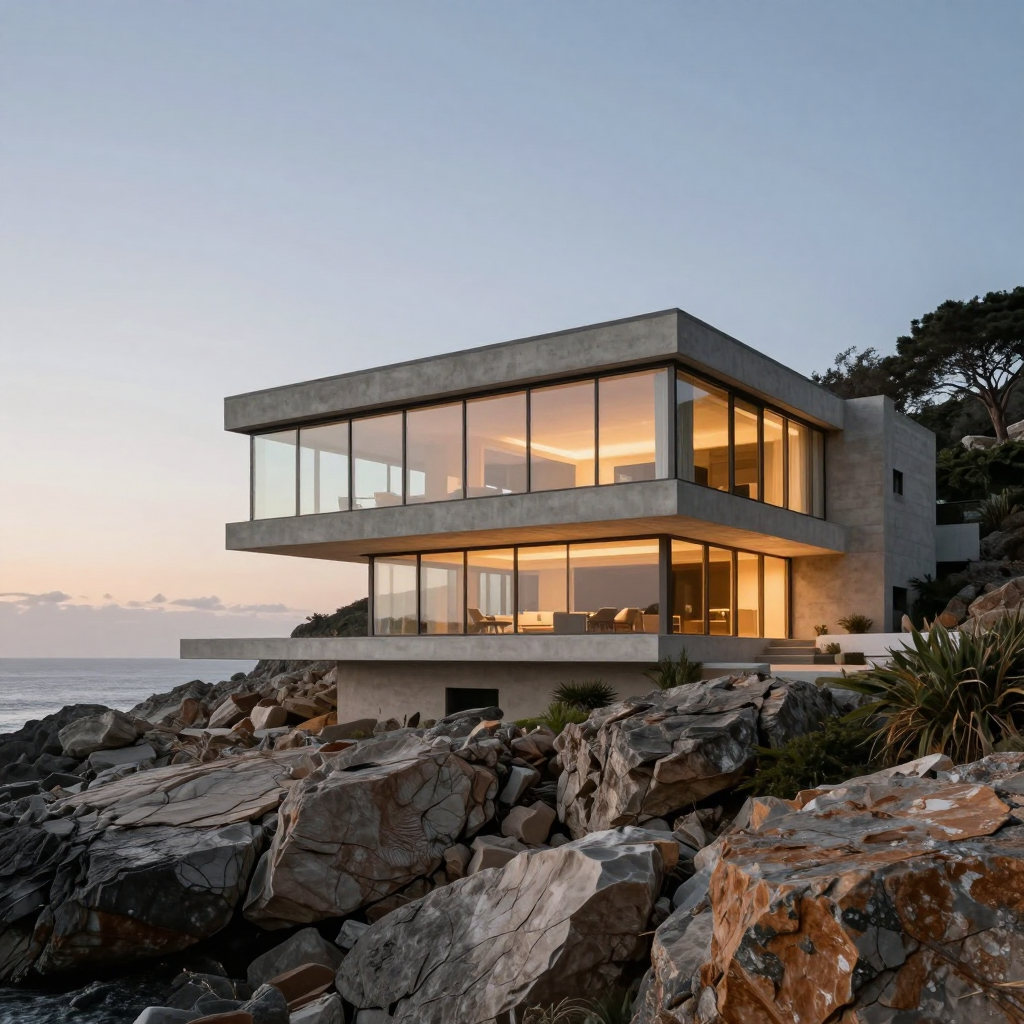
Use the approved architectural poster image as the composition reference. Keep the building structure, framing, and reserved title area stable. Introduce a restrained movement in the surrounding atmosphere, without adding new objects, lettering, or logos. End on a composed view that can be evaluated for a loop in the finishing edit. Treat all final event details as separate approved typography.
Illustrative creative brief. No generated output is attributed to this prompt.
A poster usually has a clear order of information. The motion should support that order rather than pull attention away from the title or event details. Begin by marking the regions that must remain legible.
Keep the finished words and logos as controlled assets when their exact form matters. A generated motion concept is not a dependable substitute for approved dates, names, ticket information, or brand marks.
Movement can come from a background light change, a subtle atmospheric element, or a restrained subject action. Describe that choice precisely instead of asking the entire composition to become animated.
Inspect the unchanged regions as well as the moving area. Geometry, small objects, and negative space can drift even when the main motion looks appealing. Reject changes that weaken the original layout.
A request for a loop is not proof that the first and last frames match. Review the boundary for jumps in position, brightness, and motion. A clip can be useful for a poster even if it needs a carefully chosen edit to loop.
Start & End Frames is a related workflow when explicit boundary guidance is required. Its supported behavior must be confirmed in the connected mode. Do not assume that matching stills guarantee continuous movement at the seam.
Test the moving poster in its intended placement. A composition that reads well at full desktop size may lose small details in a mobile feed. Keep the important information simple and the motion restrained enough to coexist with it.
Also retain a static version. It is useful for placements that do not play motion, for a poster frame, and for people who choose not to play the clip. This page does not set autoplay behavior or replace the final distribution checks.
The architectural image is bundled illustrative media. The completed poster animation is marked Missing. The example brief is a suggested direction, not the recorded prompt behind a verified result.
A complete demonstration should include the original artwork, the generated motion, and the finished poster with its approved typography. Record whether looping, masking, or compositing was added afterward.
The useful details
Not necessarily. A poster preserves a designed information hierarchy, while an ad may build a changing sequence. They can share Video Generator without sharing the same creative brief.
Do not assume exact preservation. Use approved text assets in the finishing process when words, dates, or logos must be exact.
You can describe the intention, but the boundary must be inspected. Prepare a finishing edit when the generated clip does not loop cleanly.
Open this workflow in Studio to prepare its inputs, direction, and project assets. Review the supported options and the service quote before generating.
Connected workflows
One tool. More possibilities.
Return to Video Generator to explore the broader workflow.