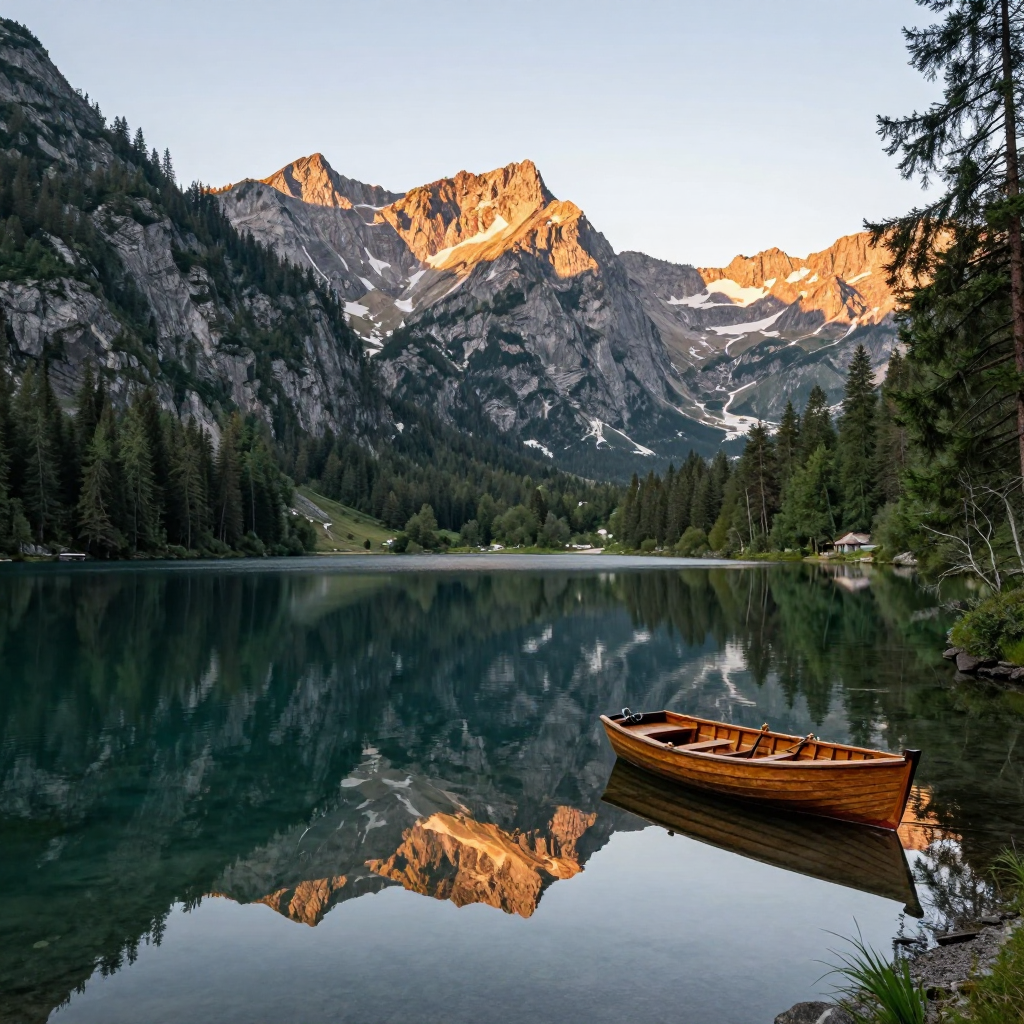
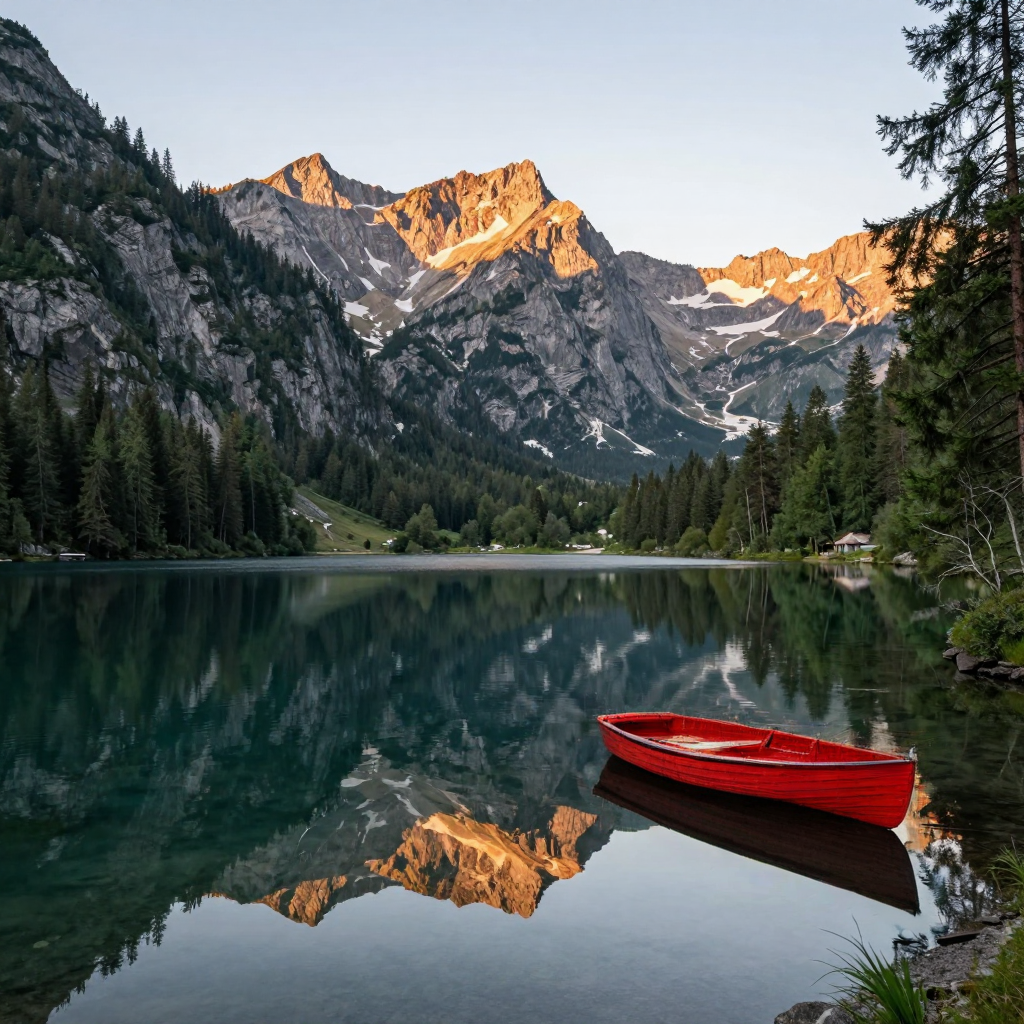
The connected Inpaint Anything workflow builds its selection from a text-described region. Region to change identifies where to work; the main prompt describes what belongs there. Painted draft masks are not submitted by this connection.
01 / Images
Inspect the scene before selecting
Look at the target and the structure around it. Identify lines, textures, shadows, reflections, and perspective that the replacement needs to respect.
Do not begin by tracing an outline automatically. First decide what should change in the scene and which traces belong to that change.
02 / Images
Cover the complete intended footprint
An object may cast a shadow, appear in a reflection, or cover a patterned background. Include relevant traces when removing or replacing it would make them incorrect.
Keep useful context outside the selected region. A wider selection is not always better; it should give the edit the space it needs without discarding information that helps explain the scene.
03 / Images
Write a positive replacement instruction
For removal, describe what should continue behind the object. For replacement, describe the new object’s material, scale, and relationship to the light.
“Remove this” can identify a goal, but “continue the surrounding stone wall with matching joints and perspective” gives the replacement a concrete role.
04 / Images
Review the seam and the interior
Inspect the point where edited content meets the original, then the content inside the selected region. A smooth transition can still contain incorrect geometry or repeated texture.
Use both a whole-image view and a close inspection. The whole view reveals composition problems; the close view reveals seams and local inconsistencies.
05 / Images
Revise the right input
If the wrong area changed, reconsider the region description. If the area is correct but the replacement is not, refine the instruction. If the surrounding structure is too ambiguous, reconsider the source or intended edit.
Changing everything at once makes diagnosis difficult. Keep the revision tied to the problem you actually observed.
06 / Images
Preserve the original and the edit record
Keep the source, region description, instruction, and output associated in your production record. That chain is useful for learning and for building an honest demonstration.
Do not present a reconstructed region as factual evidence of hidden content. A plausible generative edit is still an edit, and its publication context should reflect that.
A direction you can adapt
A bright red painted wooden rowboat on a calm alpine lake, vivid scarlet red hull, realistic paint texture and natural dawn light. Its reflection below the boat has matching dark red color on the lake surface.
Exact recorded Studio recolor. Region to change: “boat. reflection of the boat.” The recipe includes the source and Detailed controls; this worker chooses a random seed.
Keep this close
A selection is a decision, not a decoration.
- Identify the whole edit footprint before writing the region description.
- Keep enough surrounding context to explain the scene.
- Describe what belongs in the selected region.
- Compare the boundary, interior texture, and full composition.